Coach more clients.
Use one system.
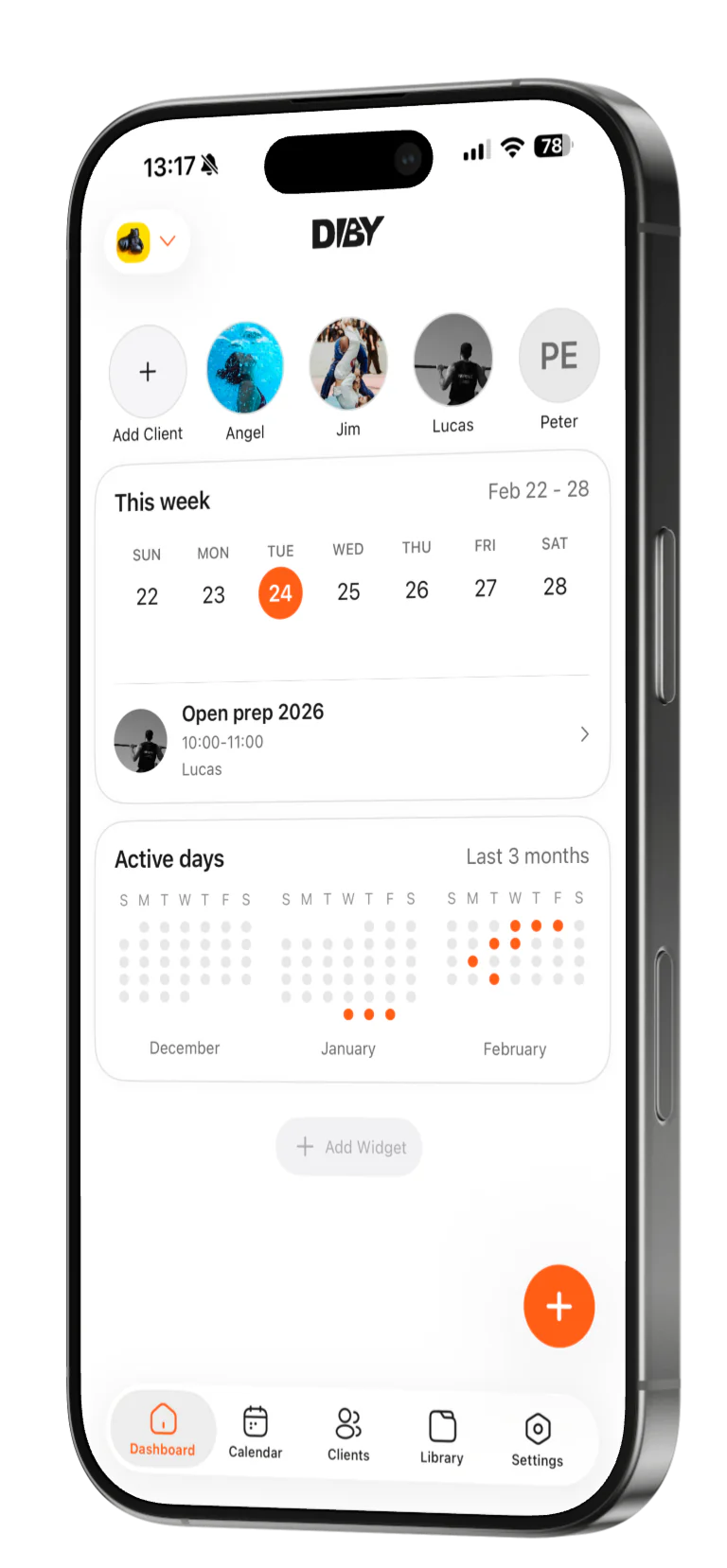
The system behind serious coaching. Clients, programs, payments and progress in one place — so your hours go to coaching, not admin.
The real problem
Coaching clients is
the easy part. Running
the business is not.
If you are a fitness coach, you probably deal with this every week:
- • Client programs live in one app
- • Progress photos are buried in WhatsApp or Instagram DMs
- • Payments are tracked in Stripe, PayPal, or not tracked properly at all
- • Notes, check-ins, and updates live in Google Docs or Excel
- • You spend hours on admin instead of coaching or selling
Nothing talks to each other. Everything breaks at scale.
What coaches use today
Too many tools. No real system.
Most coaches end up stacking tools like this:

Trainer app for workouts
Build and assign programs in one place
Google Sheets for tracking
One dashboard for every client
WhatsApp or Instagram for communication
Photos, check-ins, and history in one place
Notion or Docs for notes
Track and manage payments without spreadsheets
Stripe for payments
Payments tracked elsewhere or not at all
It works for 5 clients.
It becomes chaos at 20.
It breaks completely at 50.
The solution
Diby replaces your
tool stack with one
simple system.
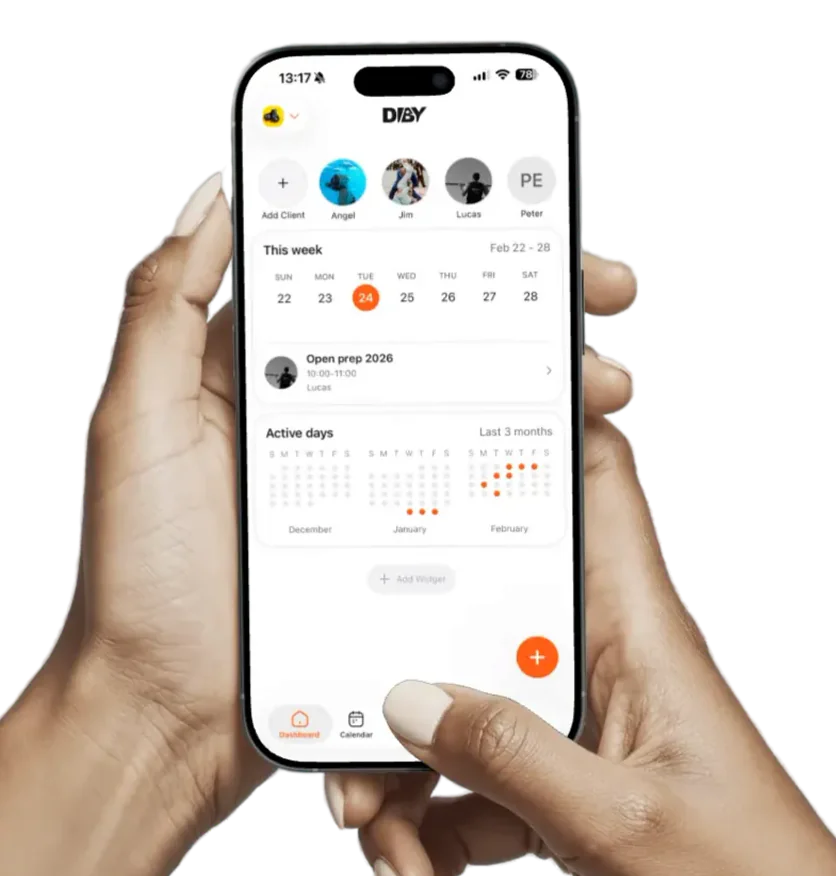
Diby is the infrastructure behind your coaching business.
- •Manage clients, programs, and progress in one place
- •Deliver a clean, premium coaching experience
- •Spend less time on admin and more time coaching or selling
- •Build something that scales beyond your own time
No spreadsheets. No duct-taped tools. No complexity.
Start FreeClient lifecycle
From first hello to long-term client.
Diby follows the whole relationship — turning a lead into a client, keeping every detail in one profile, and helping you stay close so they stick around.
Onboarding
Onboarding starts before the first workout.
Line up a new lead, invite them in, and set up their profile — so day one feels handled, not chaotic.
- Save leads before they even sign up
- Invite them in with a tap
- Collect goals, history and limitations up front
- Walk into day one already prepared

Jordan Lee
Potential client
Goal
Lose 6 kg · build a squat base
Client management
Every client. One profile. Zero digging.
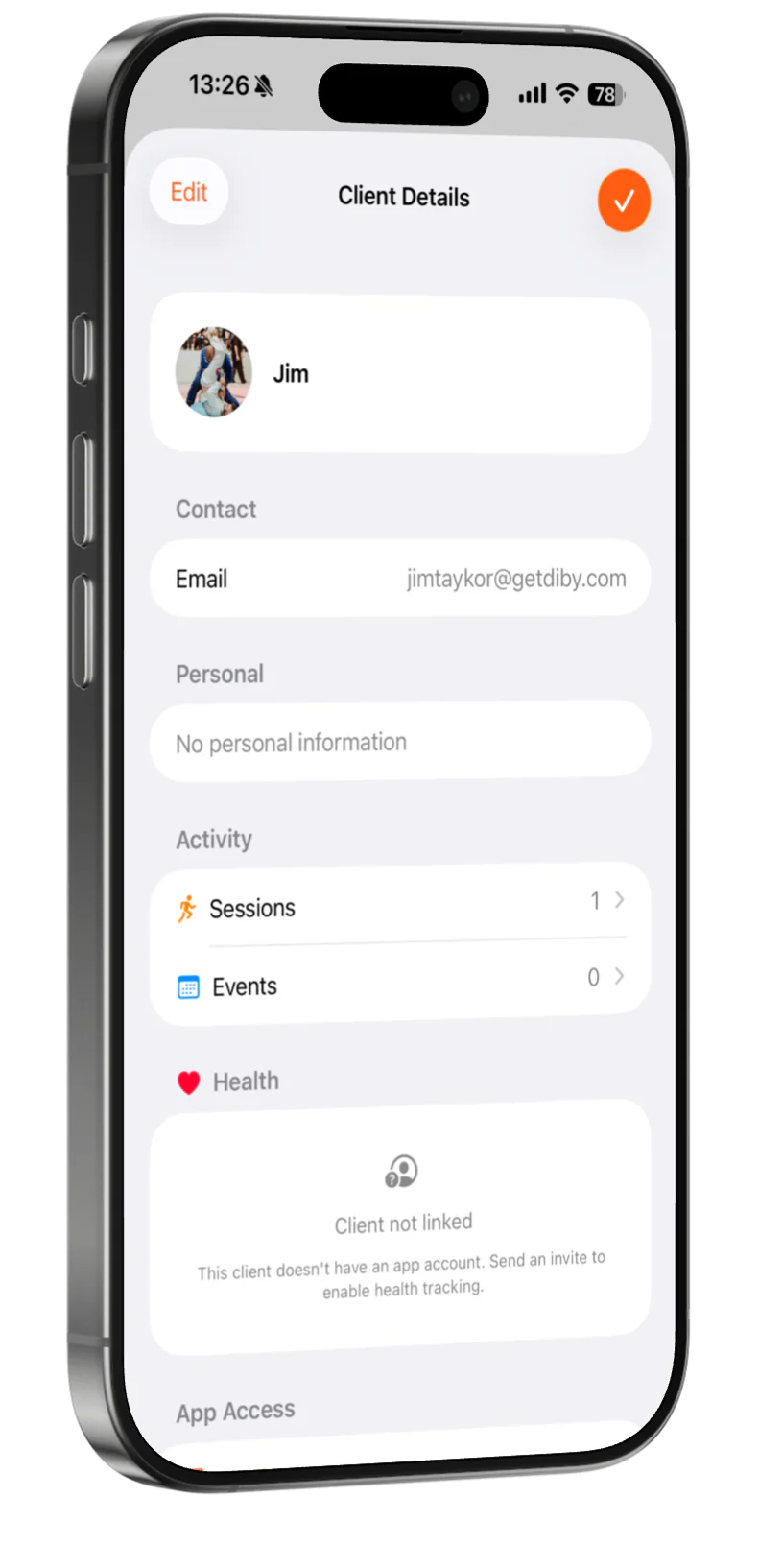
Training, nutrition, payments, progress — everything about a client in one organized place. No more hunting through apps, DMs and spreadsheets.
- Personal details, goals and limitations
- Programs, workouts and full activity history
- Progress, health and nutrition at a glance
- Payments and plan status, same screen

Mia Torres
3 / 4
64.2 kg
86%
Wed
Engagement & retention
Stay close, and clients stay longer.
Retention is a conversation, not a guess. Message clients, keep an eye on how they're really doing, and follow up before someone quietly drifts.
- Message clients right where you coach them
- Track how they feel, week over week
- Spot the dip before it becomes a goodbye
- Follow up in seconds, not someday
Client pulse
This weekMia Torres
Logged 6 / 7 days

Sam Reyes
Active today

Alex Kim
Quiet · 9 days
Message any client without leaving the app
Schedule & plans
Calendar, bookings and client plans.
Plan sessions on a shared calendar, open bookable slots for clients, and track who's on which plan — without jumping between apps or spreadsheets.
Calendar
Your whole week, one view.
Plan 1:1s, group sessions and check-ins on a shared calendar — week, day or month. Attach clients and workouts, drag to reschedule, and see who's coming before they arrive.
- Week, day and month views
- 1:1, group and recurring sessions
- Attach workouts and clients to any event
- Drag-and-drop rescheduling
Group HIIT
07:00–08:00
1:1 Personal
10:00–11:00
Mia TorresIn-person check-in
09:30–10:15
Week · day · month — drag to move, tap to expand
Booking slots
Open the hours you want. Clients pick the rest.
Create reusable booking slots with weekly availability, buffers and notice rules. Clients request a time; you approve — or turn on auto-approve when it fits.
- 1:1 or group sessions, in person or online
- Weekly hours, time zones and booking windows
- Approve requests or auto-confirm when rules pass
- Staff hosts — only free team members get offered
Calendar
This week
Group HIIT
07:00
Open slot
—
In-person check-in
09:30
Payments & plans
Know who's paid — without a spreadsheet.
A simple way to organize the money side of coaching. Set up plans, record what comes in, and see each client's payment status in one place.
- Plans for in-person, online or hybrid coaching
- Currency, amount and frequency per client
- Pending or paid — status at a glance
- Automatic reminders before payments are due
A payment tracker to keep you organized — Diby doesn’t charge your clients’ cards for you. See pricing
Mia Torres
Online coaching€120/ month
PaidAugust
Pending
Reminder sent automatically 2 days before due
Training builders
Build once. Reuse for every client.
Create the workouts and programs that make your method yours — then assign and adapt them per client instead of starting from scratch.
Workout builder
Program the way you actually coach.
Build a workout exactly how you'd run it — the right exercises, the right structure, the right numbers.
- Sets, reps, load, tempo, rest — your call
- Supersets, circuits, EMOM, AMRAP and more
- Save it once, reuse it forever
- Assign to a client or drop into a program
Leg Day · Builder
Back Squat
Walking Lunge
Romanian Deadlift
3 × 10 @ 60 kg · RPE 8
Program builder
Your best block, on repeat.
Lay out a full program across weeks, assign it to any client, personalize it for them — and watch it play out, client by client.
- Structure workouts across weeks
- Assign the same program to any client
- Personalize per client after assigning
- Follow their progress as it plays out
Program
Strength Base
Custom exercise library
Your exercises. Your names. Your cues.
Don't coach from someone else's list. Build your own library — with your demos and your standards — and use it everywhere.
- Create exercises beyond the default library
- Add your own photos and demo videos
- Describe them the way you coach them
- Reuse them across every workout and program
My exercises
Your library
Bulgarian Split Squat

Banded Pull-Apart

Sled Push

Copenhagen Plank
MCP
Coach from Claude, ChatGPT or Cursor.
Connect Diby to MCP-compatible assistants and work from the tools you already use — list clients, review progress, schedule sessions and draft workouts without opening another tab.
- Claude, ChatGPT, Cursor, Claude Code and more
- Live client, workout and calendar data in chat
- Writes show a preview — nothing saves until you approve
- Enable under Settings → MCP in your account
Connected
Diby · Coach workspace
Assistant request
“Who hasn't trained in two weeks?”
→ 3 clients flagged · last sessions pulled from Diby
Nutrition intakes
Training and nutrition, in the same place.
You don't need a separate nutrition app to keep an eye on the basics. When clients log their intake, you see it right next to their training and progress.
- Clients log macros, calories and more
- Day-by-day intake and consistency
- Context to adjust training and check-ins
- Nutrition next to training — not in another app
Mia · Today
Lean Bulk
Progress check-ins
Photos, weight and measurements — on a rhythm.
Set how often each client checks in. They submit progress photos, weight and body measurements from the app; you review the history next to their training.
- Weekly, biweekly or custom check-in rhythm per client
- Progress photos, weight and full measurement set
- Baseline vs latest — spot trends before they stall
- Request a check-in or get notified when one lands
Check-ins
Mia Torres
Rhythm
Every 2 weeks
Next · Feb 14 · Photos, weight & measurements
Staff & team
Grow past solo — without losing control.
Invite admins and staff into your workspace. They share the calendar, host booking slots and help run the floor — with roles that keep ownership clear.
- Owner, admin and member roles
- Invite by email — they join your workspace
- Assign staff as hosts on booking slots
- Shared calendar and client access, scoped by role
Team & staff
Atlas Coaching
You
Owner
Alex Marin
Admin
How it works
Get started in three steps
01
Sign up
Create your free coach account in minutes. No card needed.
02
Set up
Add your programs, invite clients, and connect your workflow in one place.
03
Coach more
Spend less time on admin and more time growing your business.
Why you should join Diby as a coach
Built to help you
coach 3x more clients
without burning out
Diby is designed for coaches who want to grow, not just stay busy.
- •Handle more clients without adding more admin
- •Keep everything in one place instead of juggling tools
- •Deliver a clean, professional experience to every client
- •Stay organised as your client count grows
- •Build a coaching setup that actually scales
This is not another feature-heavy app. It is a simple system that removes friction from your day-to-day work.
Start Free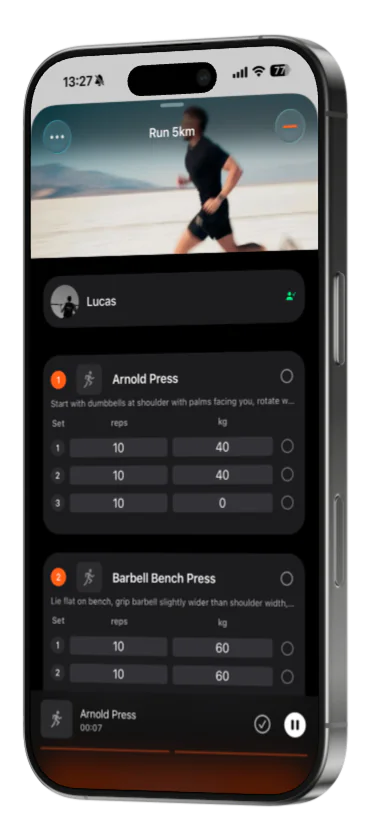
What's in it for your clients
Your clients feel the difference immediately.
Clients do not care about your tech stack. They care about how professional and smooth the experience feels.
- •One place to see programs, progress, and updates
- •Clear structure and accountability
- •A premium experience that just works
- •More attention from you, less admin noise
Better experience means better retention. Better retention means more stable income.
Start FreeTestimonials
What coaches and athletes say about training with Diby.
Coaching grows. Admin shouldn’t.
Bring your whole coaching business into one system. Free to start.

Trusted by fitness coaches in 15+ countries